

Privacy posture
On-device by default
Travel history stays on your iPhone. Optional iCloud backup uses your Apple account, not a DaysAbroad travel-history server.
Schengen 90/180 · 183-day rules · CSV export
Tracks your travel days automatically. So your Schengen, tax-residency, and country history stay current without a spreadsheet.
Rolling windows do not wait. Every day you do not track is a day you may need to prove later.
Today's 180-day lookback
through
Tomorrow, this proof window moves one day forward.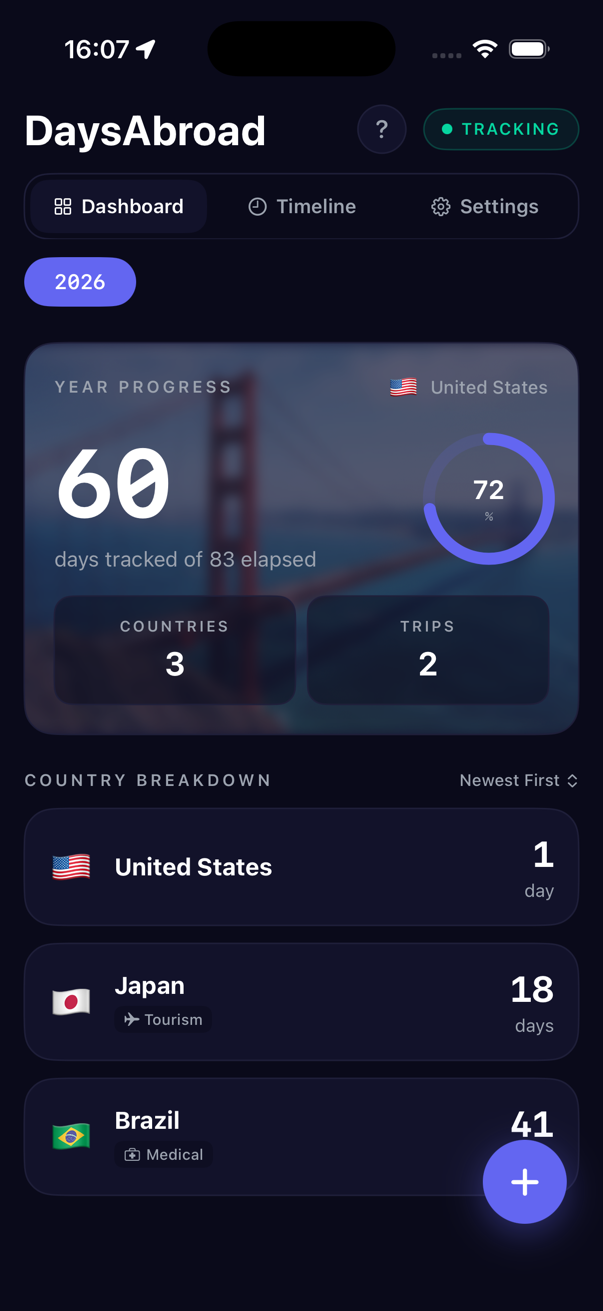
Day-counting risk
Counting by hand stops working fast. One missed day can turn into a visa overstay, a tax-residency surprise, or a records problem when you need clean evidence months later.
You get 90 days in any rolling 180-day window across 29 countries combined. The window moves every day, and overstays can mean fines, removal, or a multi-year Schengen entry ban.
Most countries start asking tax-residency questions once you spend 183 days there. Some use lower tie-based tests.
Entry days, exit days, layovers, and overnight border crossings are exactly where manual spreadsheets drift.
Border and tax authorities use their records. DaysAbroad gives you your own country-by-country timeline.
How it works
Most users finish setup before their next flight boards.
One location permission. DaysAbroad runs quietly in the background and logs the country for each day.
See days per country, Schengen days used, and the date where a limit gets uncomfortable.
Open any country, review the month-by-month breakdown, and correct a missed day in two taps.
CSV and JSON exports are ready for accountants, visa paperwork, or your own archive.
Spreadsheet alternative
You can do this in a spreadsheet. Most travelers start manual, miss a few entries, and rebuild the record when the stakes are higher. DaysAbroad is the same day log, kept automatically.
Use cases
Different travelers need the same reliable record for different reasons.
FAQ